What Is the Herz P1 Smart Scale?
The Herz P1 Smart Scale is a smart body composition scale for home use. It does more than show your weight. When used with the Unique Health app (App Store or Google Play), it helps you understand changes in your body over time, like body fat, muscle mass, water percentage, and more.
The scale uses a safe and very low electrical signal to estimate body composition. This signal is not felt during use.
What the Herz P1 Smart Scale Can Track
The scale can measure and estimate: Weight, BMI (Body Mass Index), Body fat percentage, Muscle mass, Body water percentage, Bone mass, Protein level, Visceral fat, Subcutaneous fat, BMR (Basal Metabolic Rate), Body type, and Standard weight.
*Want to learn more about your health data? Check out our easy-to-follow guide here:
Herz P1 Smart Scale - Understanding Your Health Data
How It Measures
Herz P1 Smart Scale uses Bioelectrical Impedance Analysis (BIA). A very small electrical signal passes through your body. Since fat, muscle, and water react differently to this signal, the scale can estimate body composition.
This is safe for most people, but:
-
Do not use it if you have a pacemaker or similar medical implant.
-
Not recommended during pregnancy.
Getting Started
1. Install the Batteries
-
Turn the scale over and open the battery compartment.
-
Insert 4 AAA batteries in the correct direction.
-
Close the compartment securely.
💡Battery tips
-
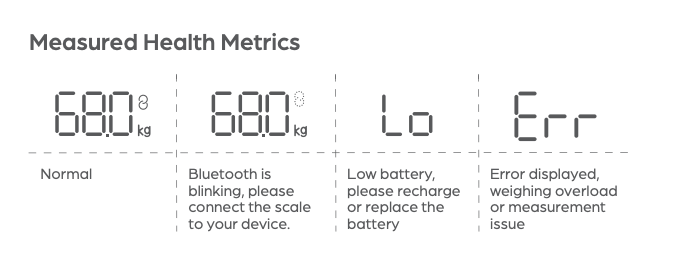
If the screen shows “Lo”, the batteries are low and need to be replaced.
-
Remove the batteries if you will not use the scale for a long time.
2. Place the Scale Correctly
-
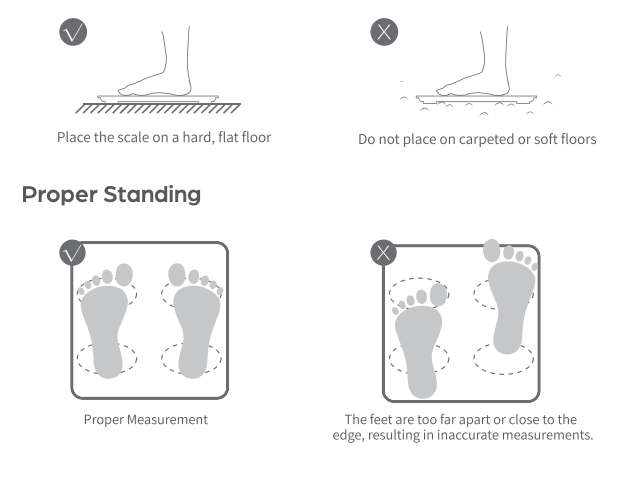
Place the scale on a hard, flat surface like tile or wood.
-
Do not place it on carpet or soft flooring to ensure most accurate readings.
-
Make sure the scale display shows 0.0 before stepping on.
Auto Power Off
The Herz P1 Smart Scale is designed to save battery life and protect the device.
-
The scale will automatically power off after 10 seconds of inactivity.
-
If the measured weight exceeds the maximum limit, the display will show “Err” and the scale will shut down automatically after 5 seconds.
-
The scale will also turn off automatically if a body composition measurement error occurs.
If this happens, simply step off the scale, wait a few seconds, and try again.
Setting Up the App
1. Download the App
-
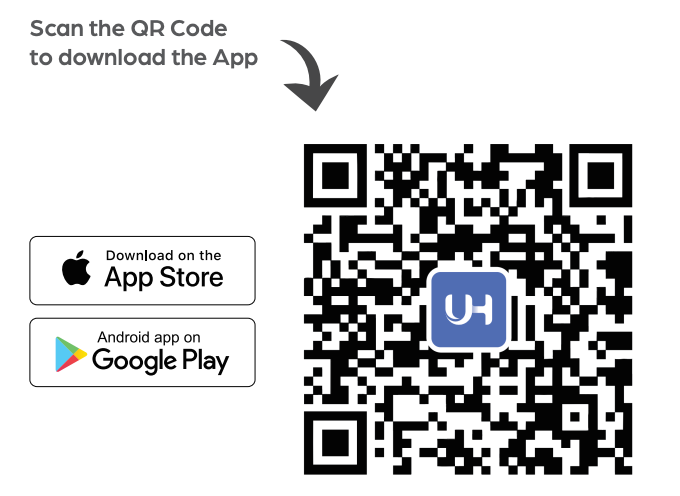
Search for “Unique Health” in the App Store or Google Play.
-
Or scan the QR code below:
2. Create an Account
-
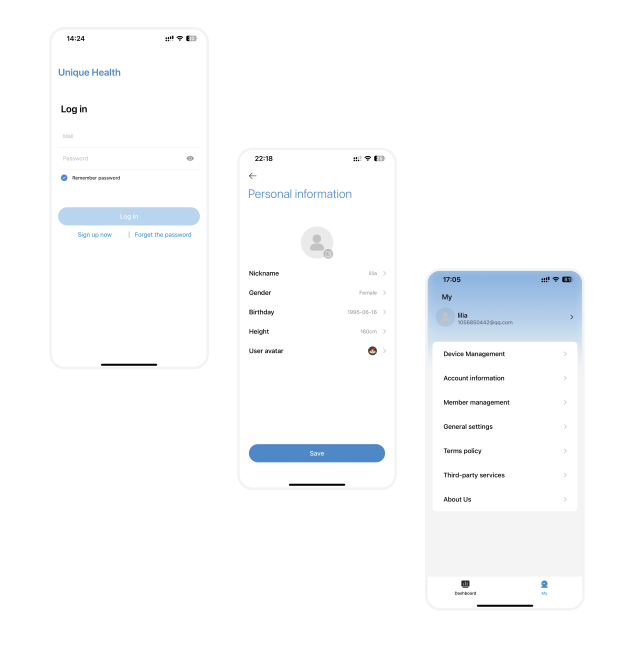
Open the app and sign up or log in.
-
Enter your personal details like age, height, and gender.
This helps improve accuracy.
3. Connect the Scale
-
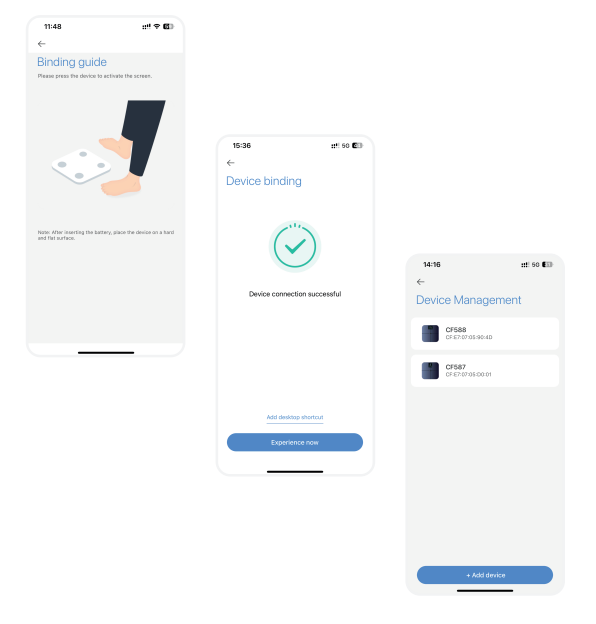
Turn on Bluetooth (and GPS if requested) on your phone.
-
Step lightly on the scale to wake it up.
-
Open the app and follow the steps to connect your device.
-
Go to My Device Management and confirm the scale is connected.
Once connected, the app will automatically sync your measurements.
How to Measure Correctly (Best Practices)
Following these tips helps keep your results consistent and accurate.
Before Measuring
-
Remove socks and shoes. Always measure barefoot.
-
Make sure your feet are clean and dry.
-
Avoid measuring:
-
Right after exercise
-
After a bath or sauna
-
After eating or drinking
-
When sick or dehydrated
How to Stand
-
Stand upright and still.
-
Place both feet evenly on the metal electrodes.
-
Do not bend your knees or hold onto anything.
-
Stay still until the measurement is complete.
The scale may also measure resting heart rate, so standing calmly is important.
Best Time to Measure
-
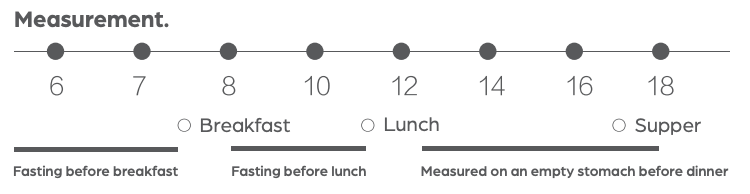
Try to measure at the same time each day.
-
Morning, before eating or drinking, is usually best.
-
Consistency matters more than the exact number.
Understanding Your Results Over Time
-
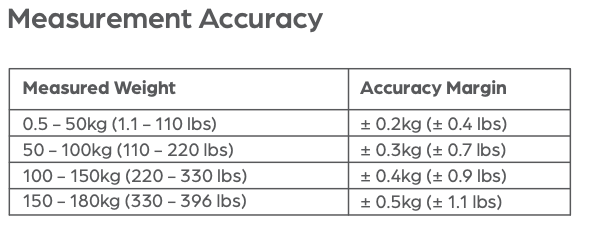
Your daily numbers may change slightly. This is normal.
-
Focus on trends over weeks, not single readings.
-
Body composition changes slowly, even when weight changes quickly.
-
Use the app charts to track progress and patterns.
💡Remember: these measurements are for wellness tracking only, not medical diagnosis.
Sharing Your Results
You can share your data easily:
-
Show the app charts to your doctor, physiotherapist, or trainer
-
Take screenshots or export data from the app
-
Add multiple users so family members can track separately
Each user should have their own profile for accurate tracking.
Storage & Environment Care
To keep your scale working properly and accurate over time:
-
Keep the scale out of direct sunlight.
-
Keep it away from heat sources such as heaters or radiators.
-
Avoid high temperatures and high humidity.
-
Do not store the scale in damp or wet environments, such as bathrooms with poor ventilation.
Proper storage helps protect the internal sensors and extends the life of your scale.
💡Tip: If you won’t be using the scale for a long period, remove the batteries to prevent leakage and damage.
Need Help?
If you need assistance:
-
Email: support@herzp1.com
-
Phone: (877) 309-3614
When contacting support, include your order number and a short description of the issue.
Check out our other helpful Herz P1 Smart Scale guides:
• Herz P1 Smart Scale - Understanding Your Health Data in the App
• Herz P1 Smart Scale - FAQs and Troubleshooting
Still need help? Create a support request with our customer service team and we'd be happy to help.